

You can begin your Expert AI conversation in various ways.
At the Welcome to VitalLaw! HOME page
First, make sure the toggle is set to Expert AI.
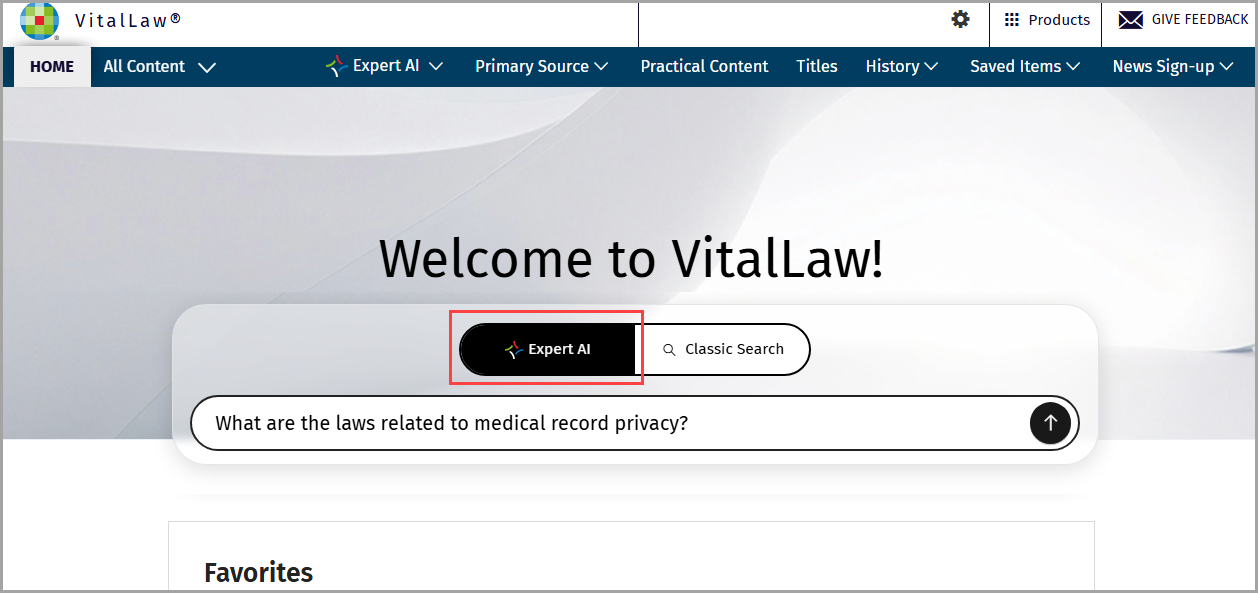
Enter your prompt in the field provided and submit.
Expert AI automatically searches across your entire VitalLaw subscription identifying the best matches to formulate an answer.
Show thinking
Expand Show thinking for a list of linkable documents, considered by VitalLaw® Expert AI, to formulate your answer. These 'thinking' sources provide a roadmap of the content Expert AI was 'looking at'. By examining these steps, you can determine the correct AI path, surface additional questions and potential prompts, reducing the research burden.
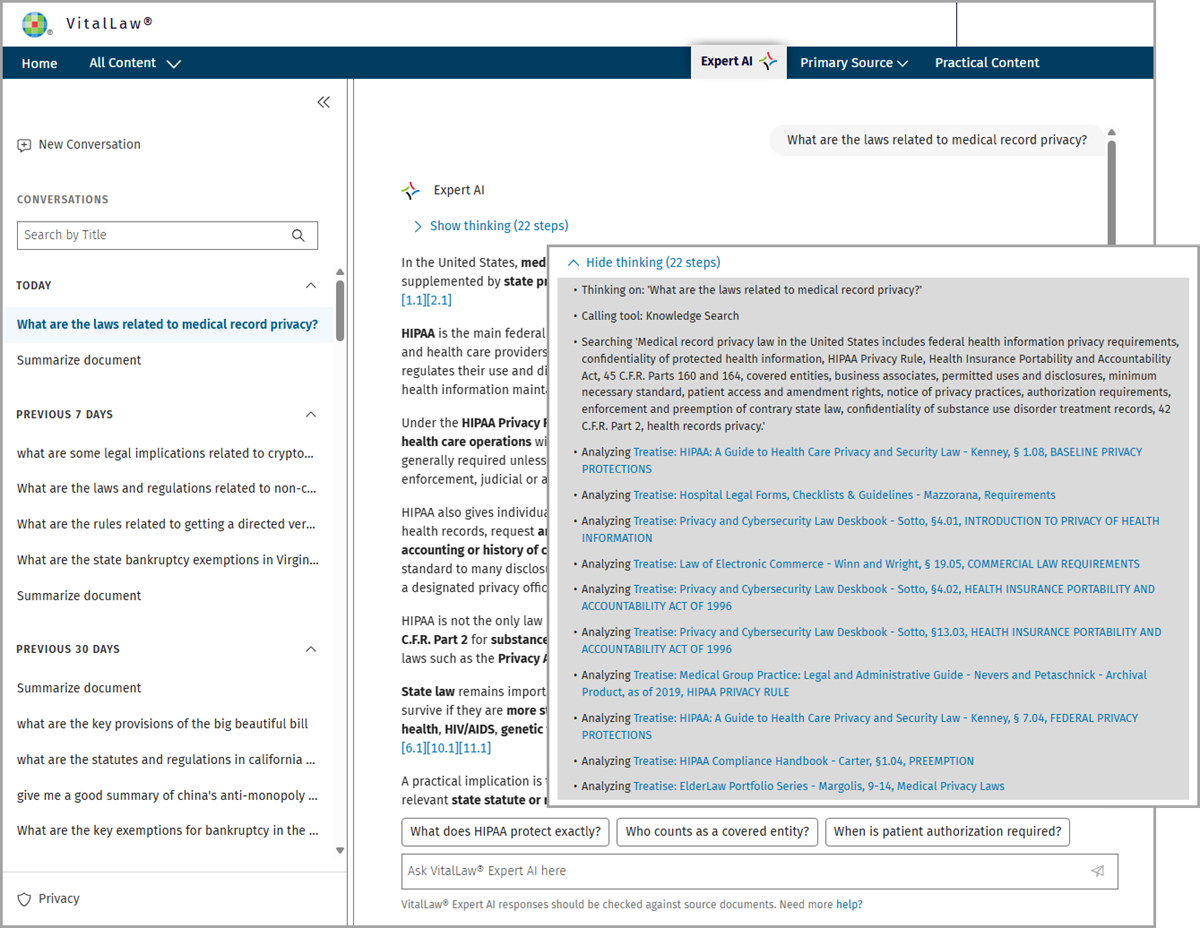
Pincites
Save research time with direct, pinpoint access to the exact portions of the document (highlighted in blue) that provided the AI answer. Pinpoint Citations provide transparency, allowing you to jump directly from the answer to authoritative source material with a single click.
Once you have arrived at a document from a source link, all the pincite highlights referenced in the answer will be visible.
Sources
While Show thinking provides a list of all the documents Expert AI considered, Sources, at the bottom of the answer, are specific onpoint linkable documents.
Suggested Prompts
Suggested prompts allow you to dive deeper or refine your topic. Create checklists, memos, and client communications - all properly sourced and citation-ready.
Chat History
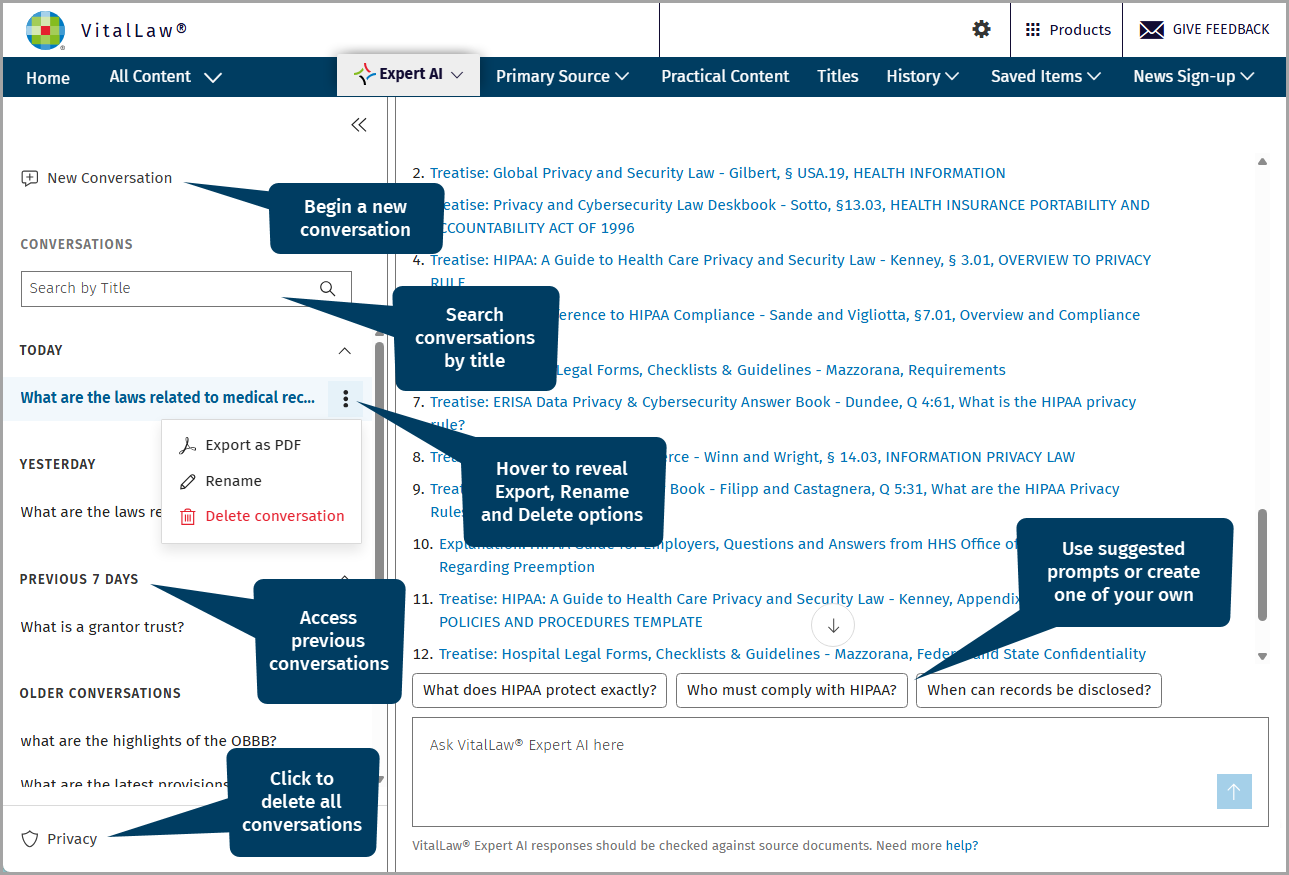
At any time, you can begin a new conversation by clicking the command.
If you have previous conversations, your chat history appears in the left pane.
Locate previous conversations via Search by Title.
Each conversation can be Exported as PDF, Renamed, or Deleted by hovering near the end of the prompt until the three dots appear. Click the three dots for the menu.
To remove all conversations, click the Privacy link, and select Permanently delete all your conversations.
NOTE: You can perform a wide range of tasks - ask questions, summarize documents, generate client-facing materials and practical content, etc. There is no limit on the number of questions you can ask. For help formulating your prompt, see Writing Effective Prompts.
Using Expert AI at Search Results
Once you've performed a search, select from one to ten documents (10 document limit) from the search results list and click the Open in Expert AI button activating VitaLaw® Expert AI.
NOTE: The Open in Expert AI option is only active once you have selected a document from the list or you are viewing a single document.
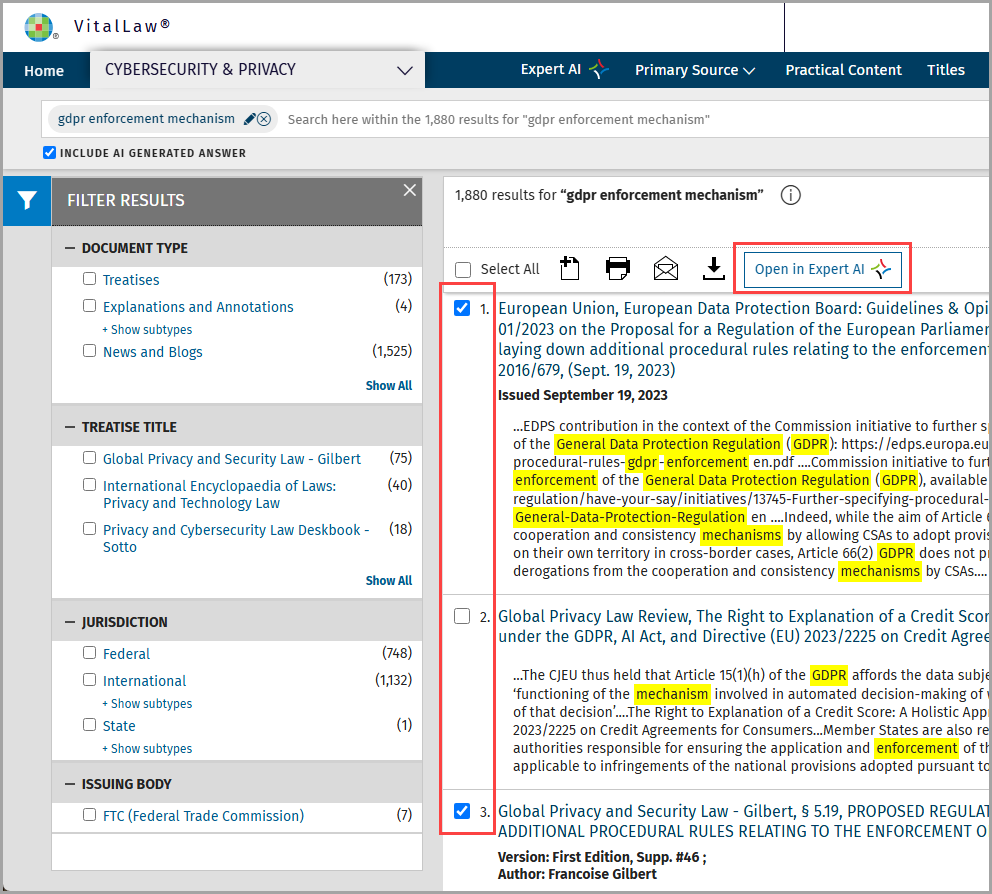
VitalLaw® Expert AI lists the document(s) you selected and provides next step options including document summarization, related questions and answers, and Interactive Chat.
The Summarize Documents feature enables you to efficiently see a short and relevant summary of your issue from within the selected documents.
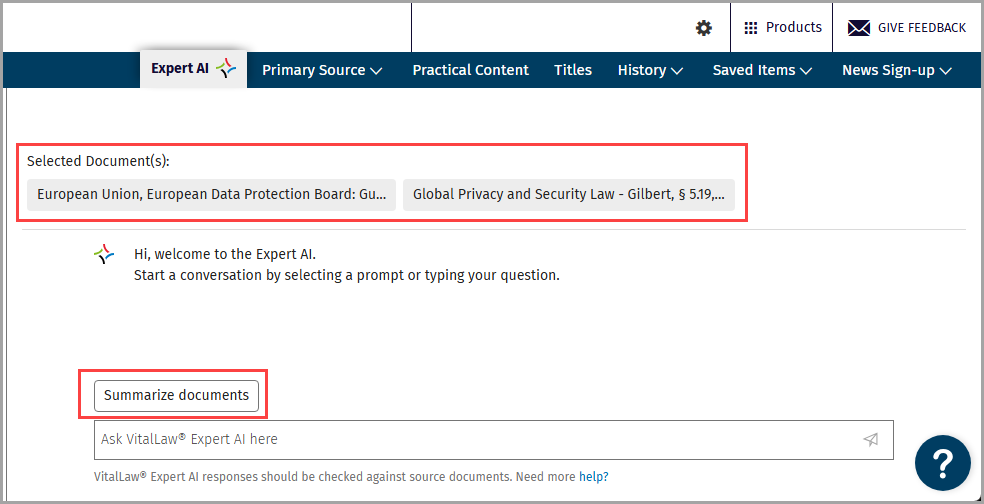
Once you Summarize documents, you will see suggested questions prompting you to go deeper, ensuring no stone is left unturned.
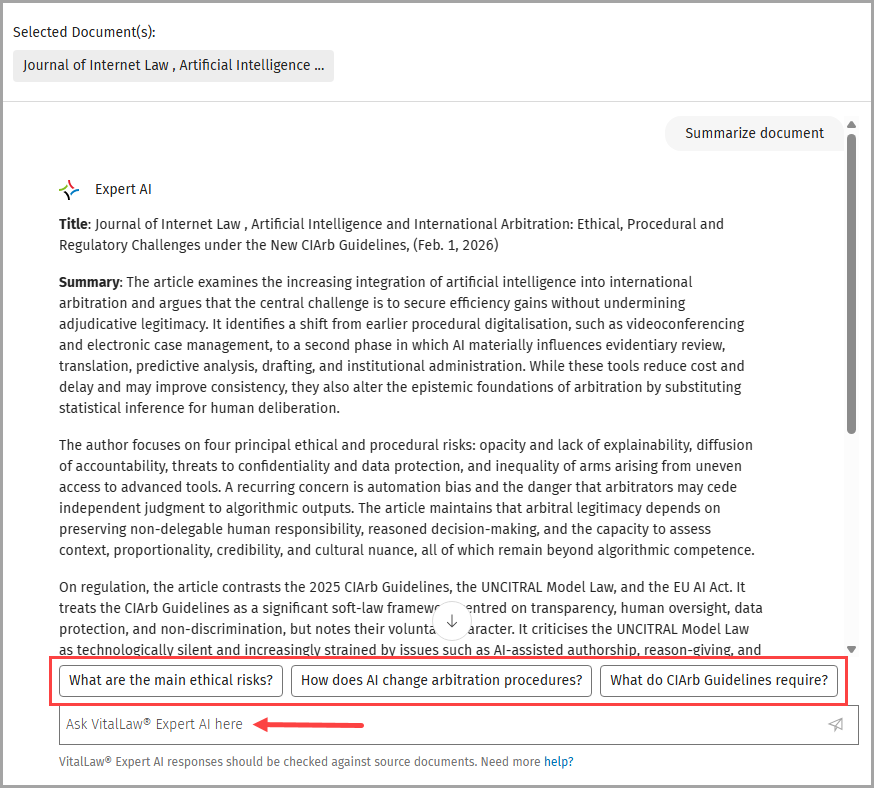
Interactive Chat allows you to interact with Expert AI via prompts. Simply type your prompt in the Ask VitalLaw® Expert AI here field and click the chevron. You can ask more specific questions or request additional information, such as a checklist or a bullet points, related to the selected documents.
NOTE: See the article Writing Effective Prompts for examples, guidance, and best practices when interacting with VitalLaw® Expert AI.
Using Expert AI with a Single document
If you want to interact with one specific document, simply navigate to the document (via browse or search), and click Open in Expert AI. Expert AI will provide next steps and suggested questions to help you gain deeper and more meaningful insights.
NOTE: Summarize Document is especially helpful when you are working with a very long document and wish to read a robust, high-level overview.