How to Access the Dailies Admin Tool
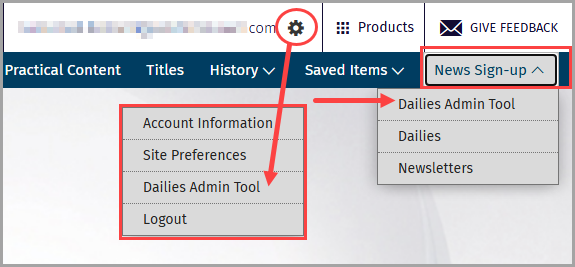
Access the Dailies Admin Tool via News Sign up or the gear icon within the global command bar, or directly, here: https://lrusadmin.wolterskluwer.com/
NOTE: Access to the Dailies Admin Tool is restricted to Delegated Administrators and Site Contacts
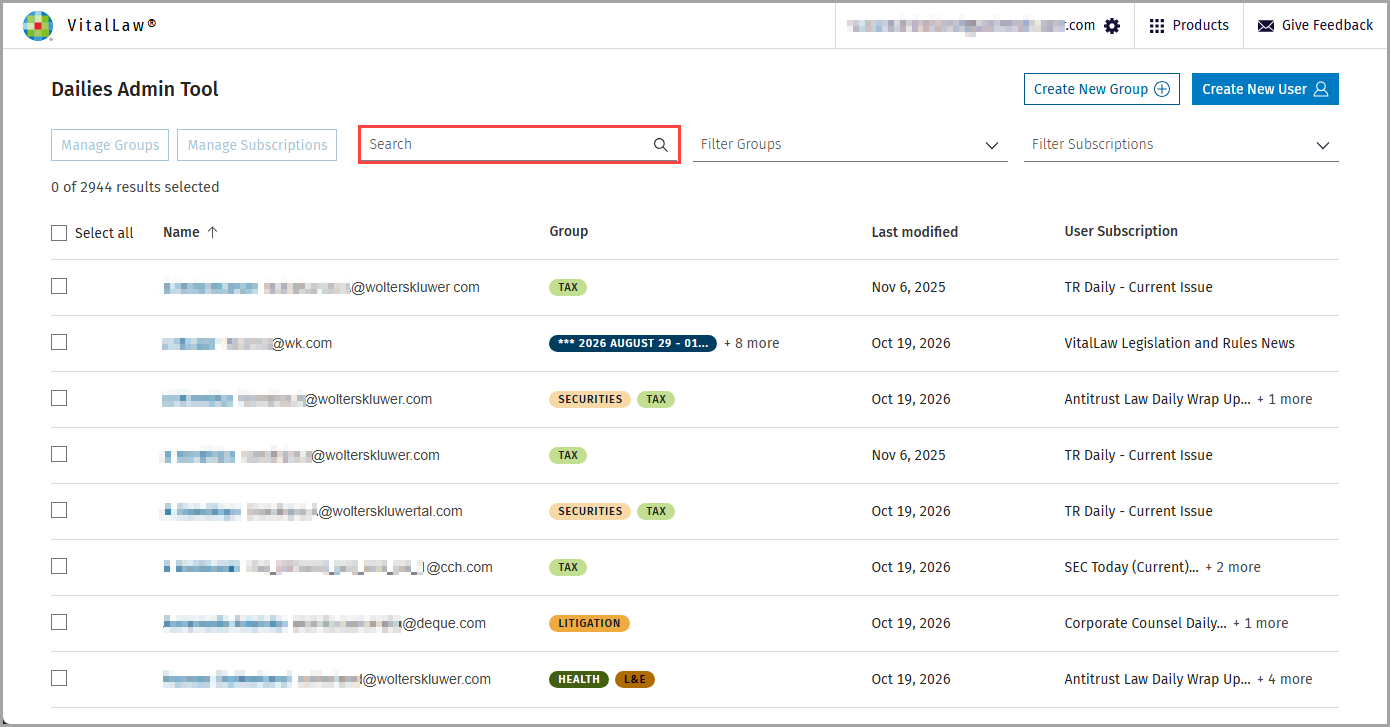
The main dashboard displays a listing of all your current users.
Search for users, email addresses, and subscriptions using the search bar.
Sort existing users by name or date of last modification by clicking on the column header.
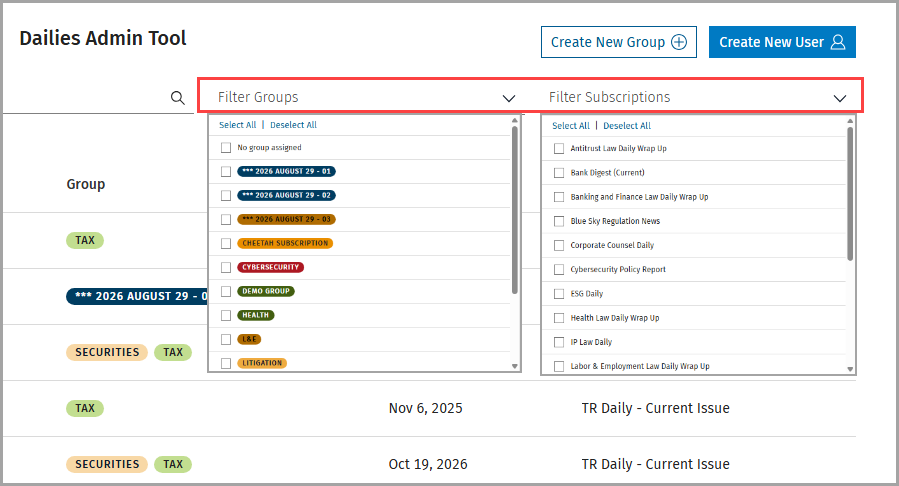
Filter users by Group or Subscription using the dropdown options.
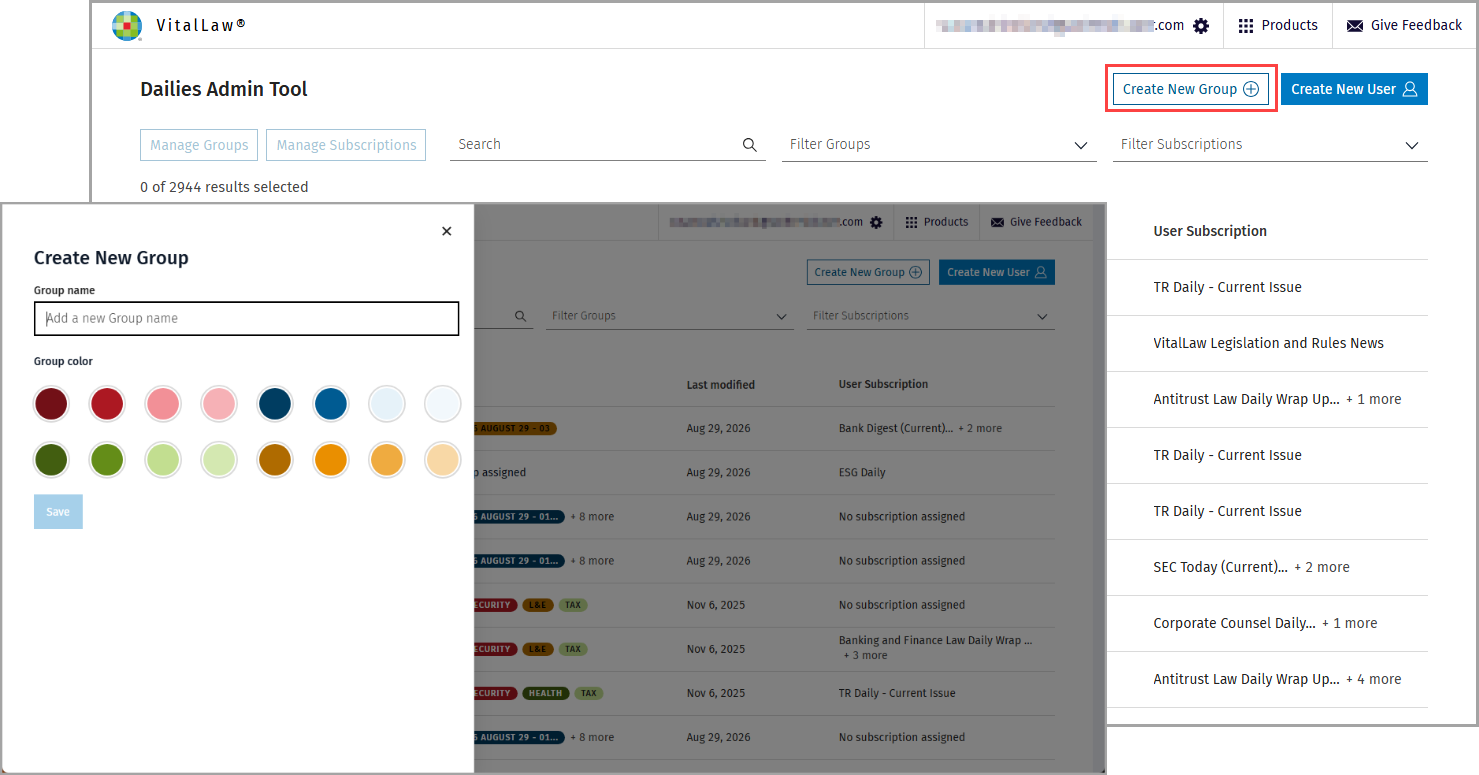
You can also create new groups. Simply click the Create New Group button, upper right, provide a name and select a group color to make the cohort easy to find.
To assign users to (or remove from) groups, check the box for the user(s) and click Manage Groups.
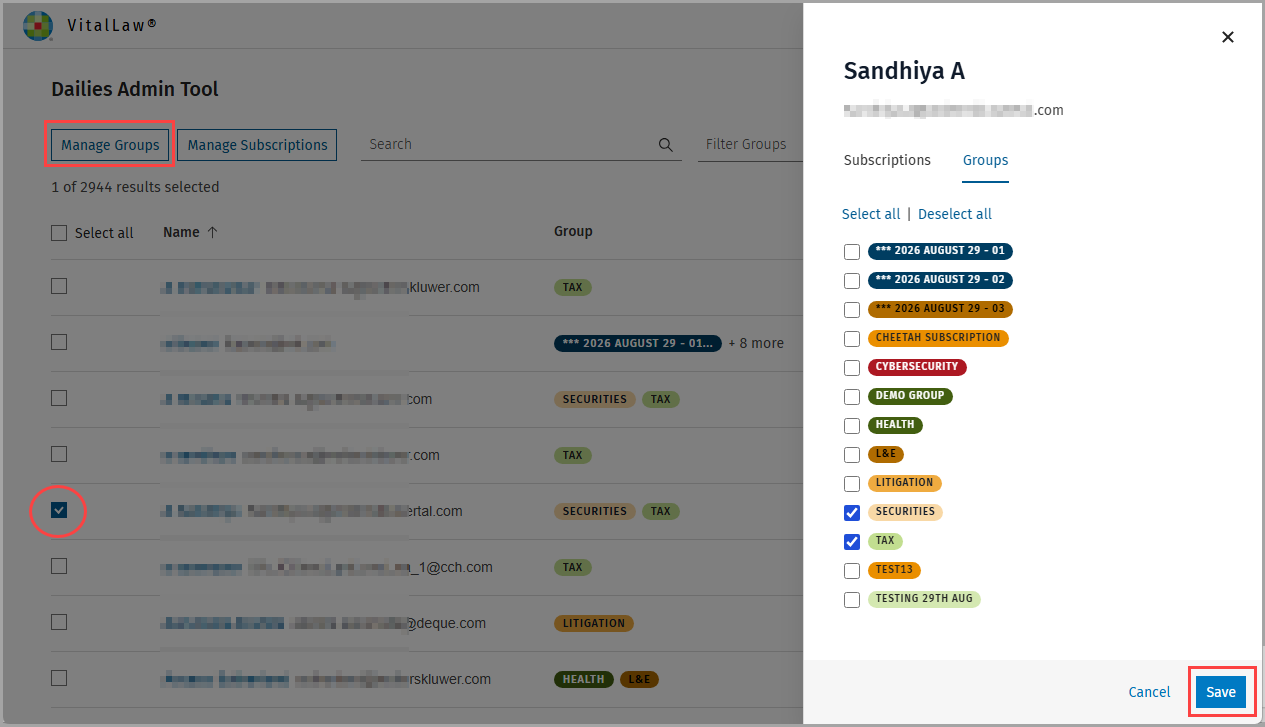
Add or remove the user from a group by selecting or deselecting the Group checkbox. Click Save and a dialog box confirms your changes.
Likewise, add or remove users from subscriptions by checking the box(es) for the user(s) and clicking the Manage Subscriptions button. Again, make your selections, and click Save.
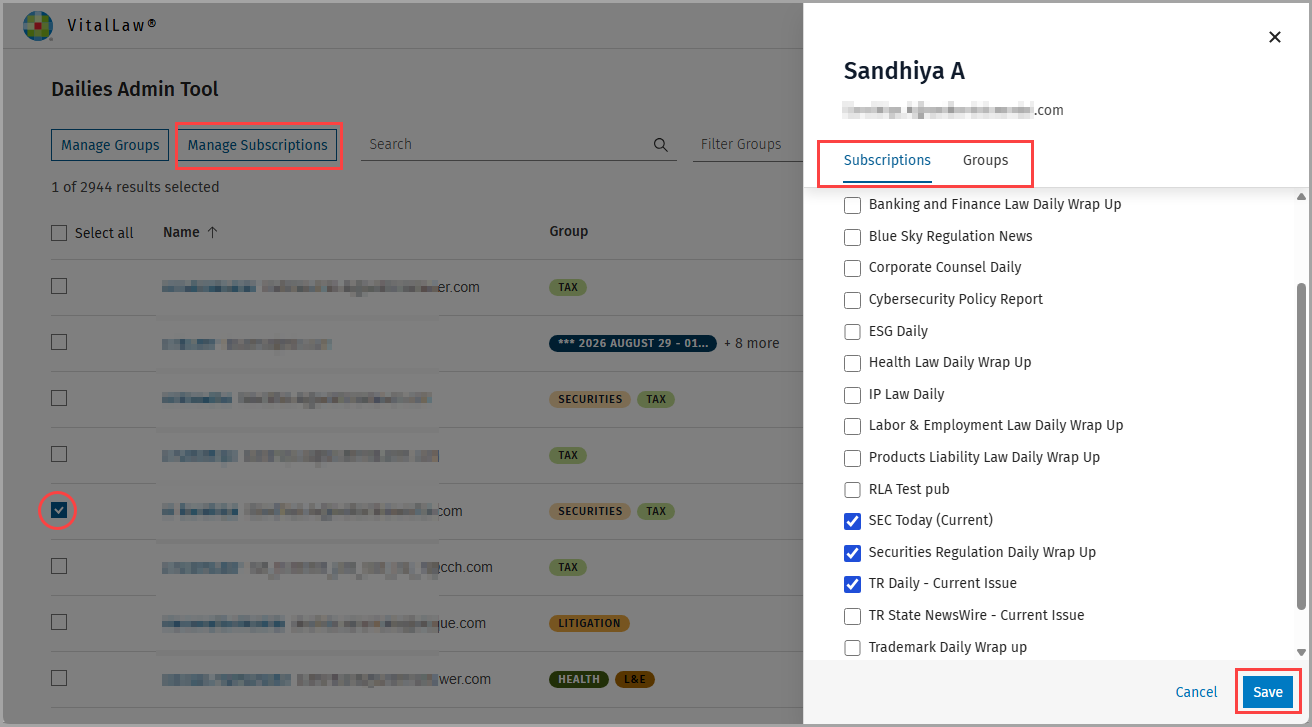
NOTE: Both Subscriptions and Groups can be accessed using the tabs within the right pane.
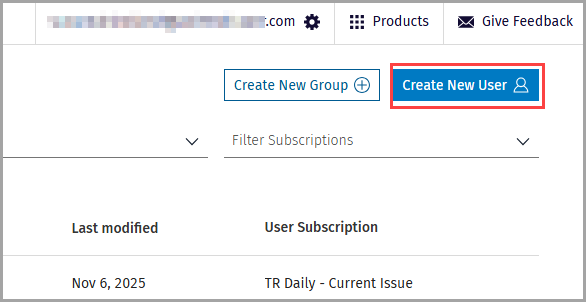
You can also create new users via the Dailies Admin Tool using Create New User which navigates you to the ID Manager Tool.