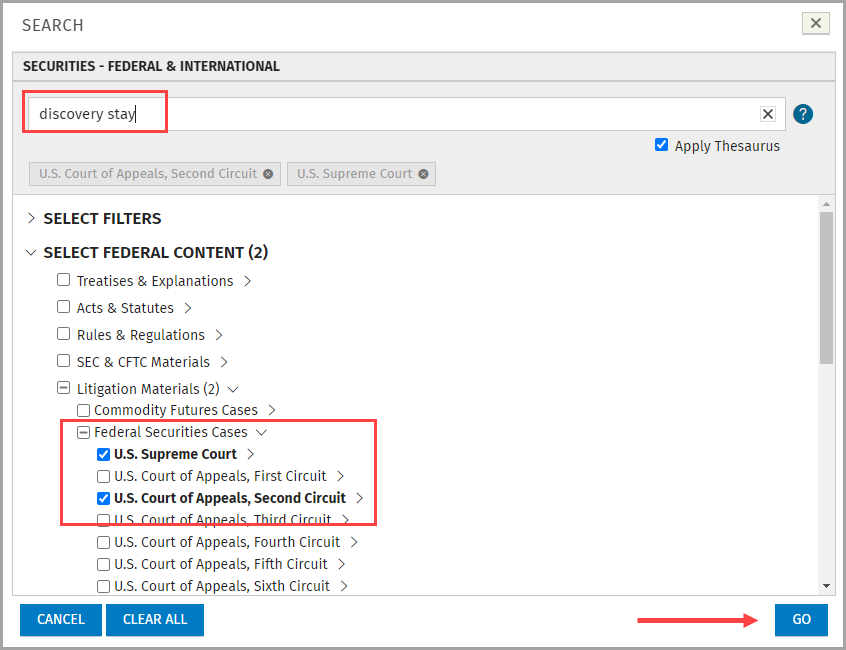
VitalLaw® allows you to select specific search options before performing your search. You can select different filters (e.g. Document Type, Jurisdiction, Court, etc.) and/or content to narrow your search.
At a Practice Area dashboard, hover over a content group or publication until you see the search icon

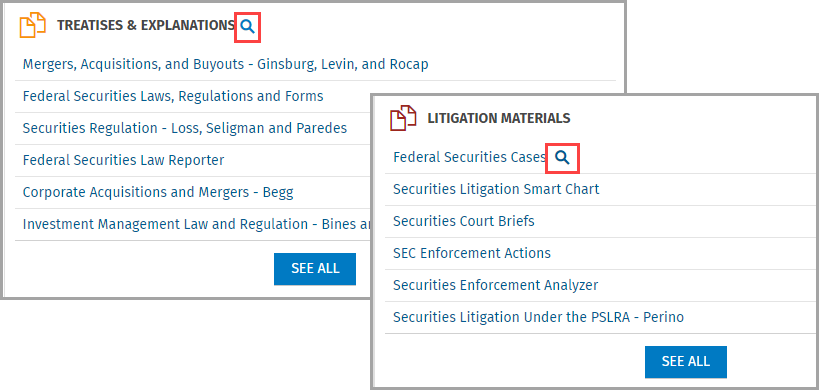
Click the icon and the related filters appear in a new frame. From here, you can limit your search to the entire content group, or a specific publication, document type, etc. by checking the boxes. Enter your search expression and click GO.
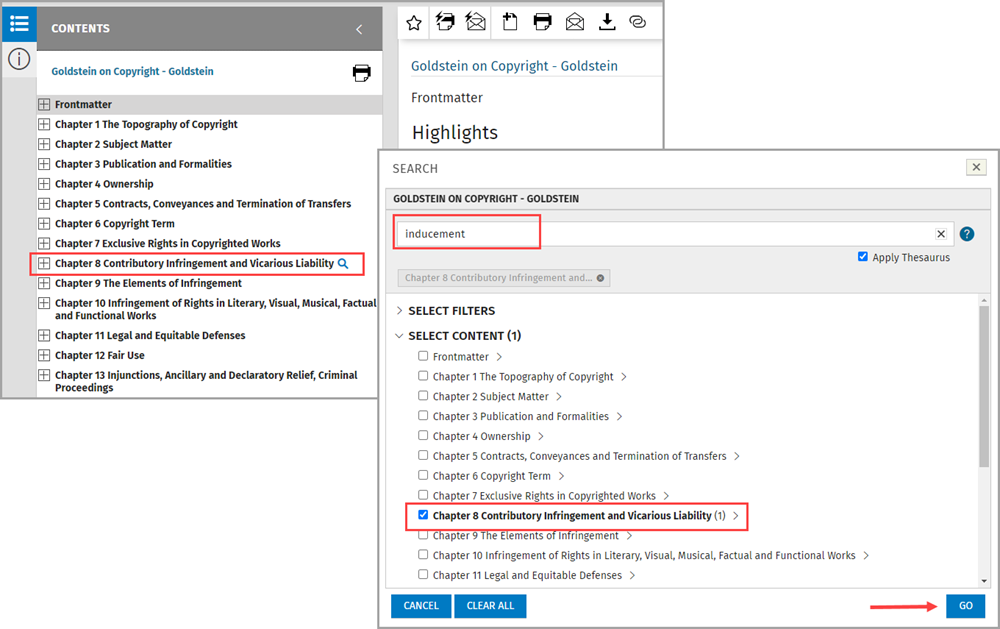
Likewise, when viewing a single document, you can hover over any item in the Contents panel, click the search icon , and search specific chapters or subsections.