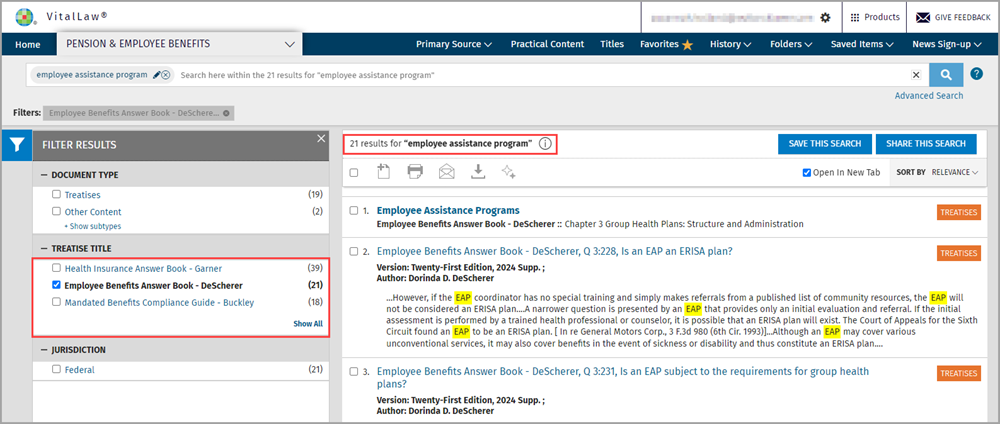
Search within search results
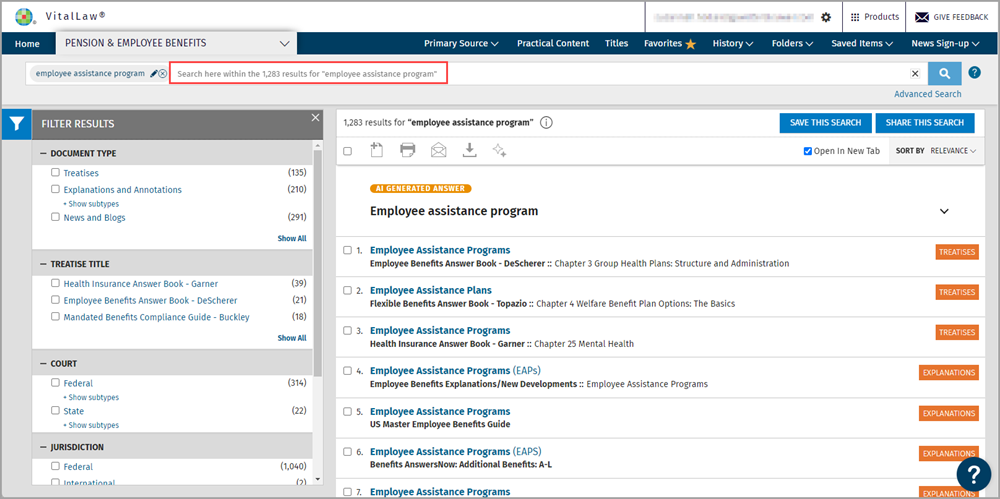
At your search results list, simply type your new search term to the right of your previous search term and click the Search button.
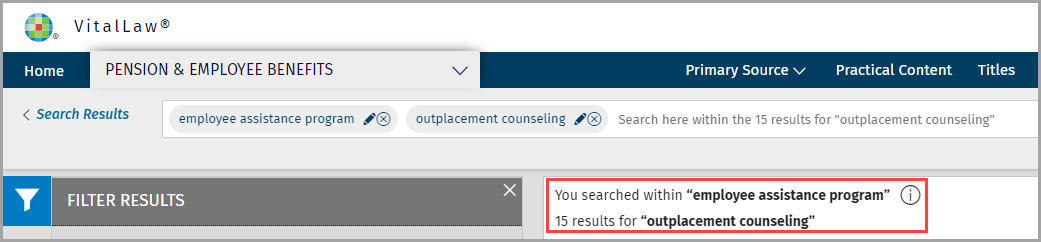
You can continue to refine your results by repeating this procedure.
Filter Results
You can also narrow search results using filters such as Document Type, Title, Court, Jurisdiction, and more. Look to the left panel for options and check the box of the filter(s) you wish to apply.