

Pre-Search Filters: Target Your Search from the Start
Before you run your search in Laws & Regulations, VitalLaw provides powerful filtering options to help you focus your results:
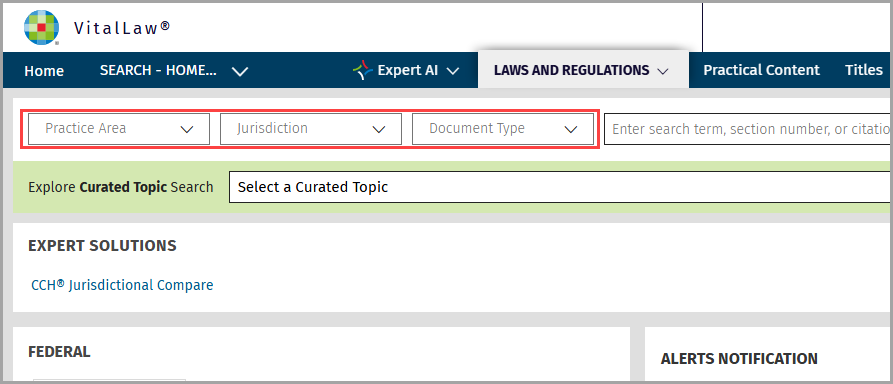
Practice Area: Select the relevant areas of law to target your results to those specific practice areas.
Jurisdiction: Narrow your results to the geographic area or governing body that applies to your question, whether federal or state.
Document Type: Specify the type of legal document you’re seeking, Acts & Statutes or Rules & Regulations.
These filters are available directly in the search interface, allowing you to set your criteria before viewing the results. Refer to the included screenshots for a visual guide to these options and the new Practice Area filter.
Post-Search Filters: Refine Your Results
After you run your initial search, any pre-filter options you selected will appear across the top of the search result list. VitalLaw also offers additional post-search filters via the Filter Results panel to further refine or expand your results.
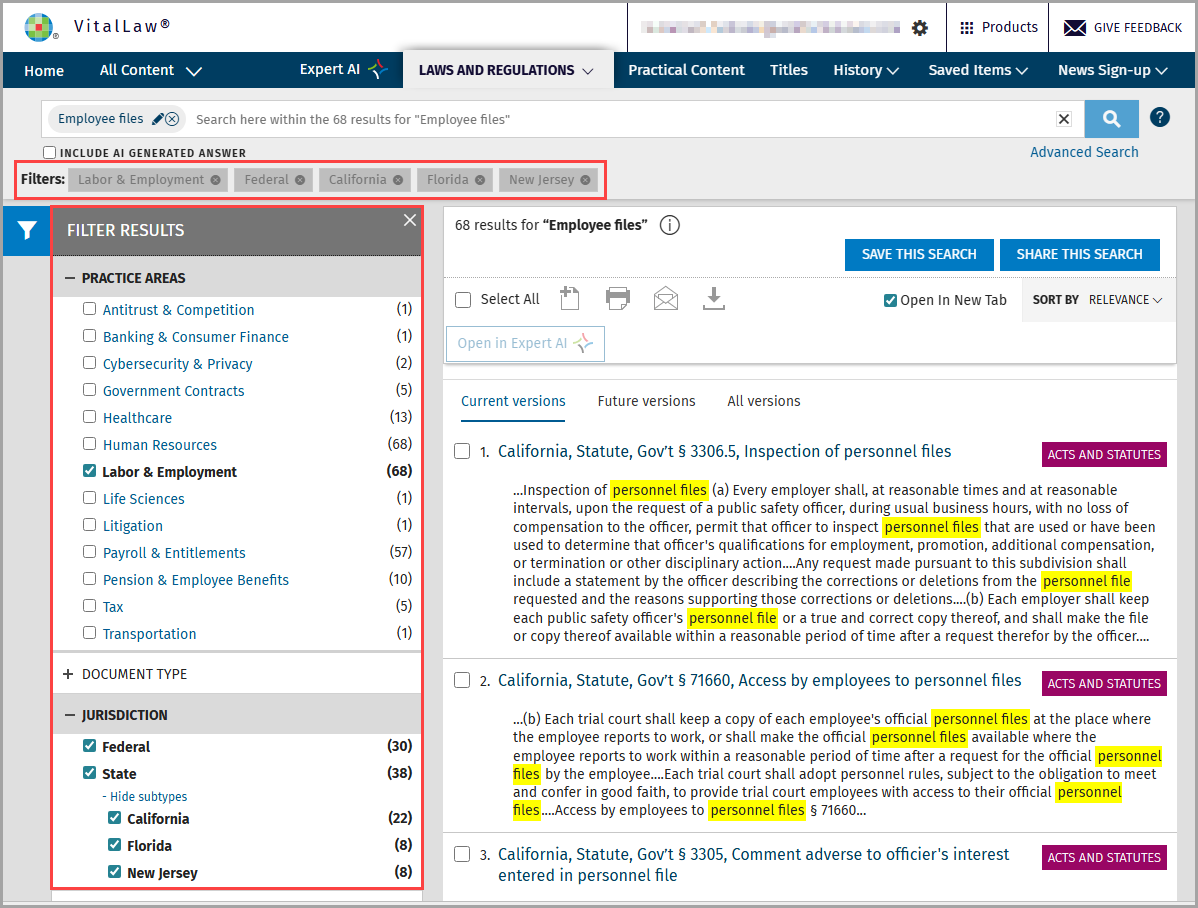
Post-search filtering allows you to adjust your selected Practice Area, Jurisdiction, or Document Type.